
Lakeside Scout
Upload, Preflight, Proof, Approve to Print
What is Lakeside Scout
Lakeside Scout is Lakeside Book’s web portal for PDF file submission. It ensures that the file delivered to the manufacturing plant is Print-Ready.
With Lakeside Scout, users can upload files, catch errors early, review preflight results, proof online, approve instantly, and send to print—all in one place—on your schedule with or without a PO.
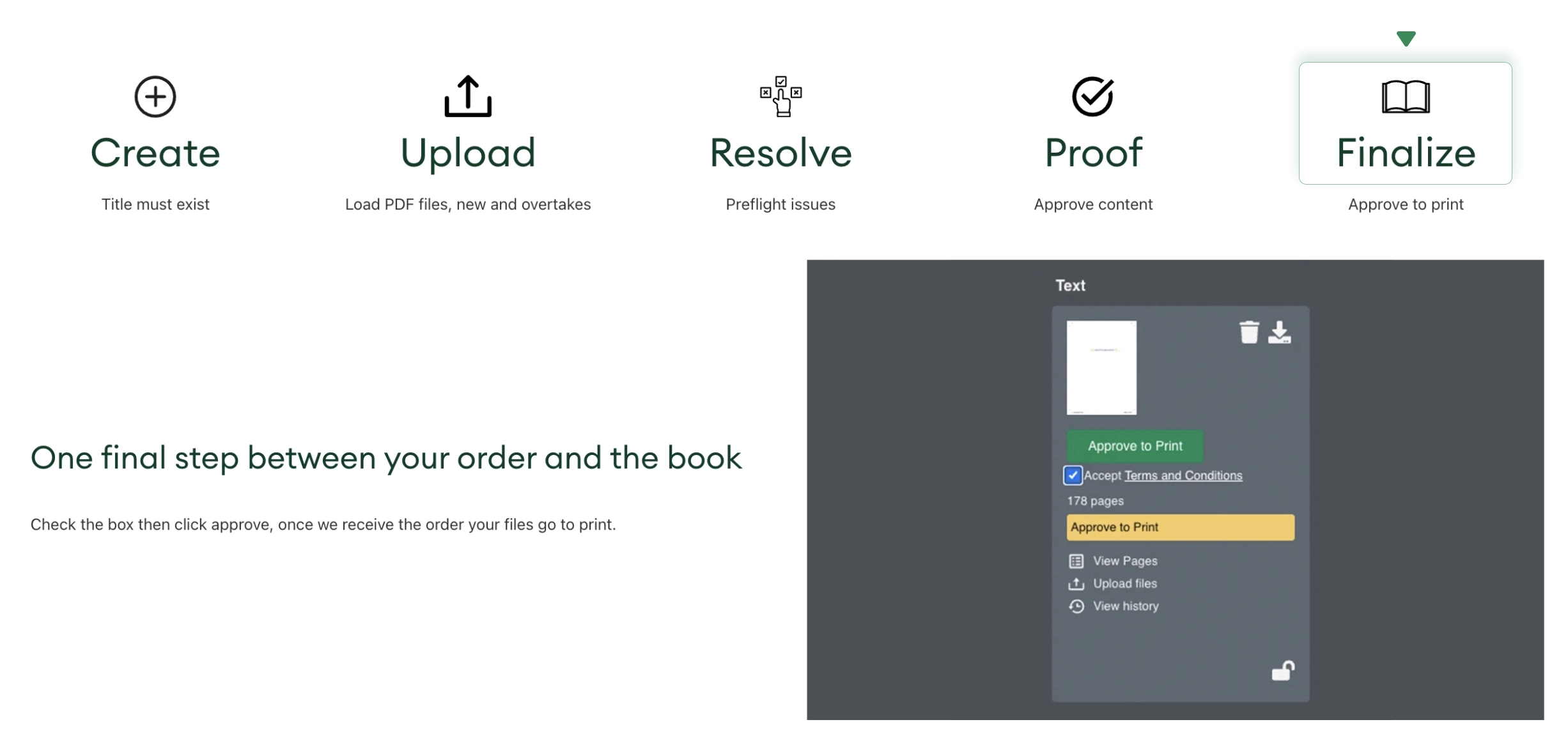
Staged workflow
Lakeside Scout is staged workflow. Each step must be completed before the user can proceed to the next stage.
Our file alteration services go beyond what was just mentioned. Both standard and custom pricing is available upon request. No matter how simple or complex your project is, we’re here to help.
Have a current or future project that you need help with? Please contact us via the form below for a free pricing quote. We look forward to helping you achieve the results you need to deliver world-class results.


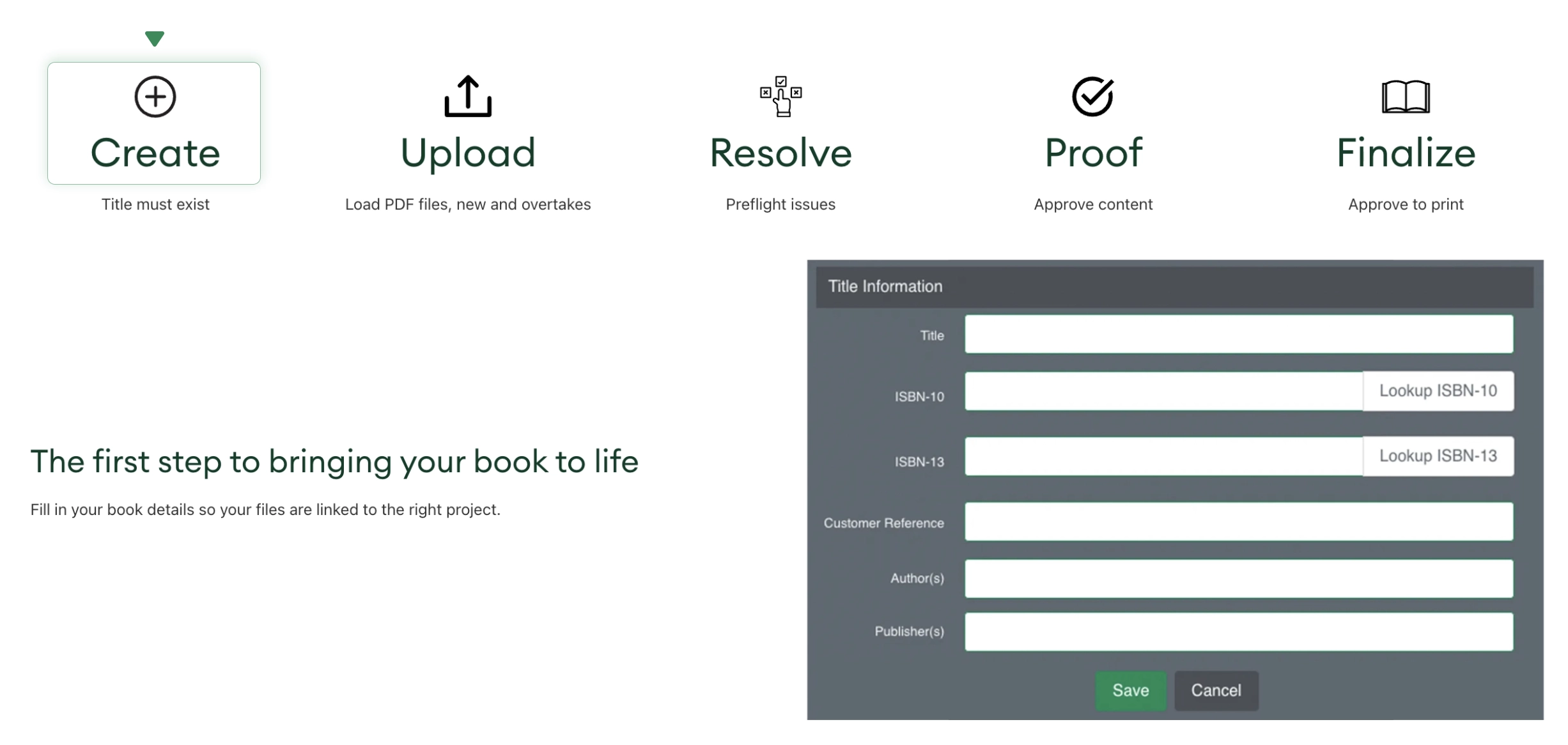
Create
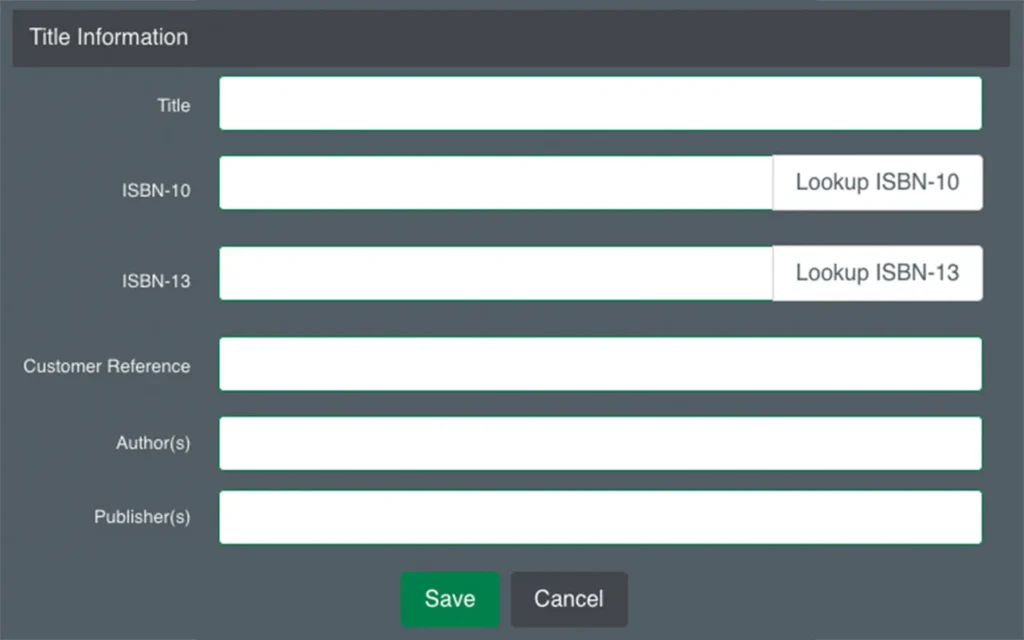
The first step to bringing you book to life
Fill in your book details so your files are linked to the right project
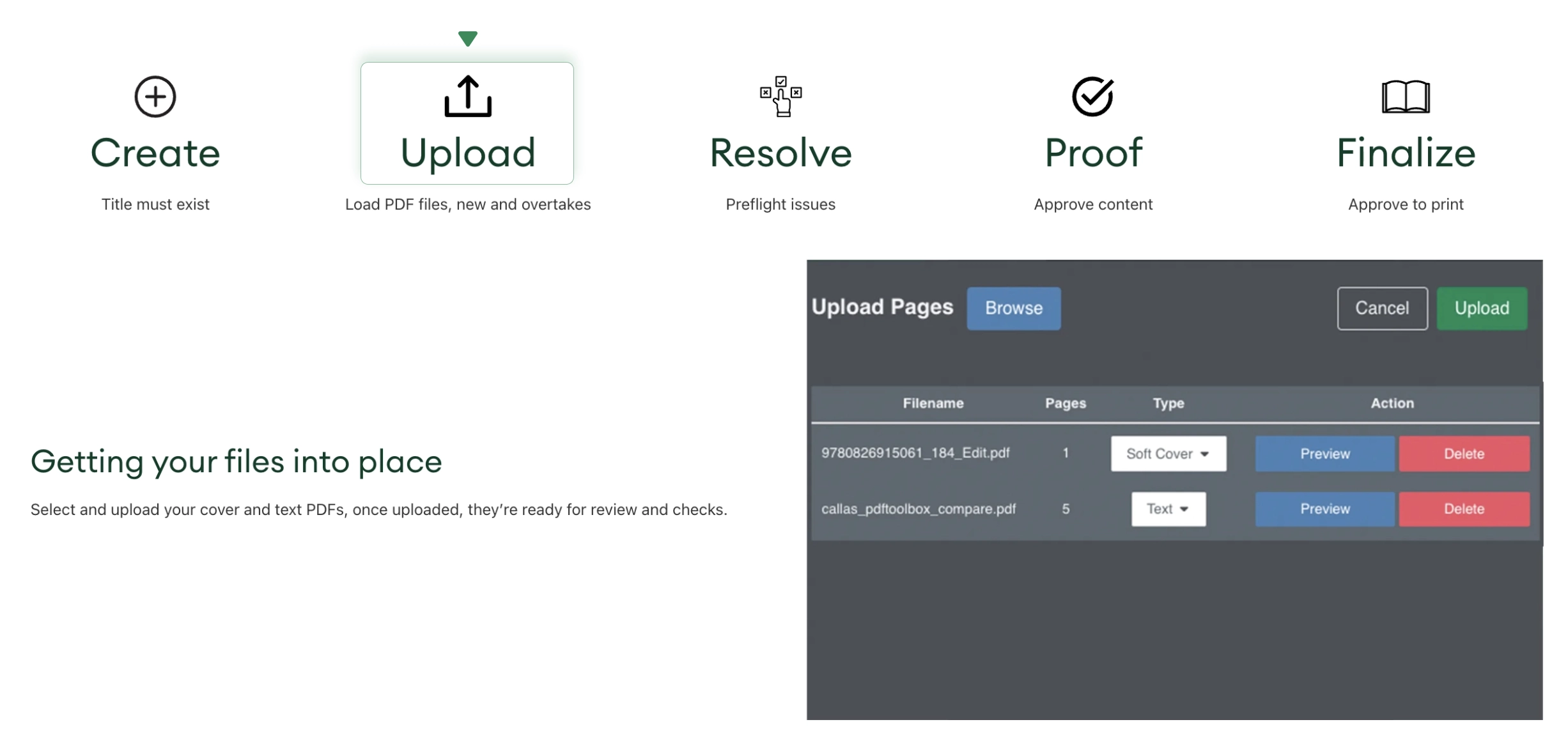
Upload
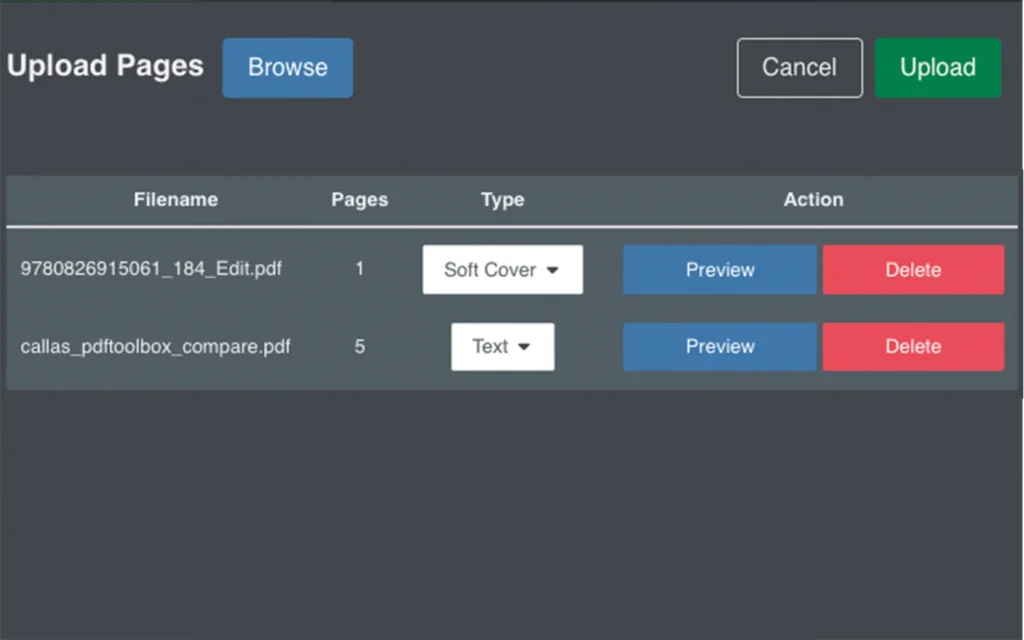
Getting your files into place
Select and upload you cover and text PDF files, once updated, they’re ready for reviews and checks.
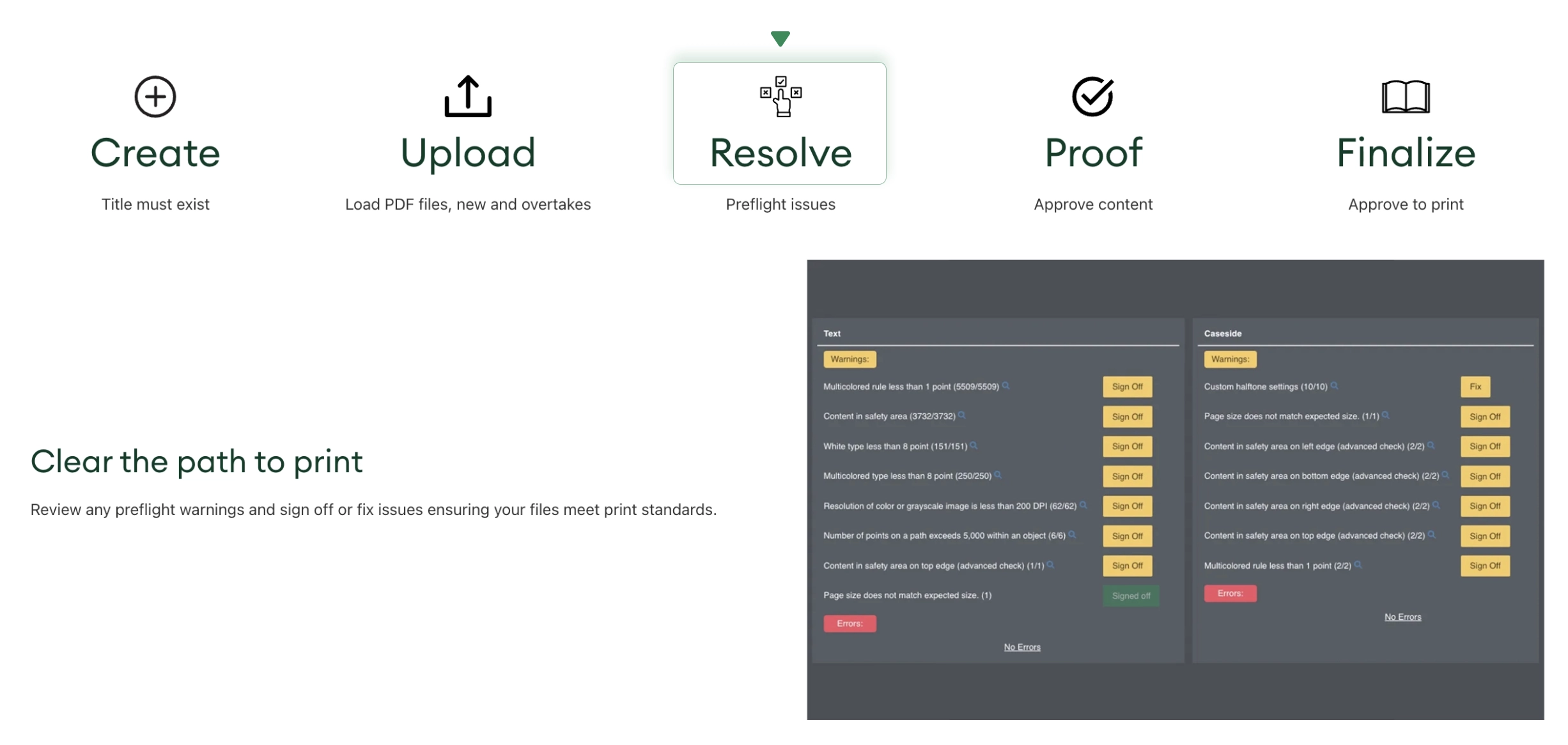
Resolve
Clear the path to print
Review any preflight warnings and sign off or fix issues ensuring your files meet print standards.
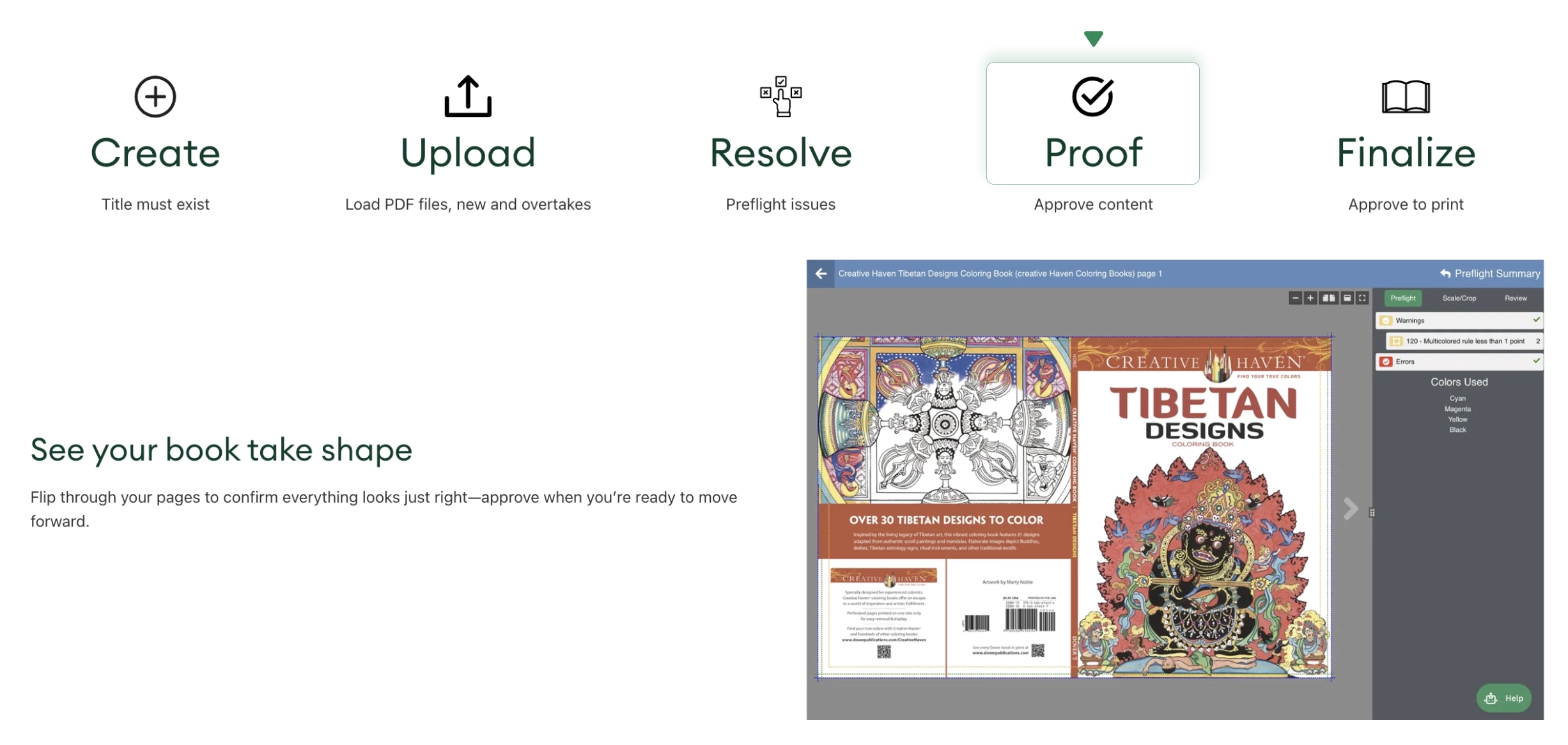
Proof
See your book take shape
Flip through your pages to confirm everything looks just right — approve when you are ready to move forward.
Finalize
One final step between your order and the book
Check the box then click approve, once we receive the order your files go to print.
Featured Lakeside Scout articles
Visit the Lakeside Scout Knowledge Base to learn more about its capabilities. While you’re there, explore the other features for quick and easy answers to your most frequently asked questions about Lakeside Scout. It couldn’t be easier and saves you time too. Once you are logged into Lakeside Scout, just click the Help widget in the lower right corner to connect with us over chat or email.